DAKboard + DejaView
Put your Apple Photos on DAKboard.
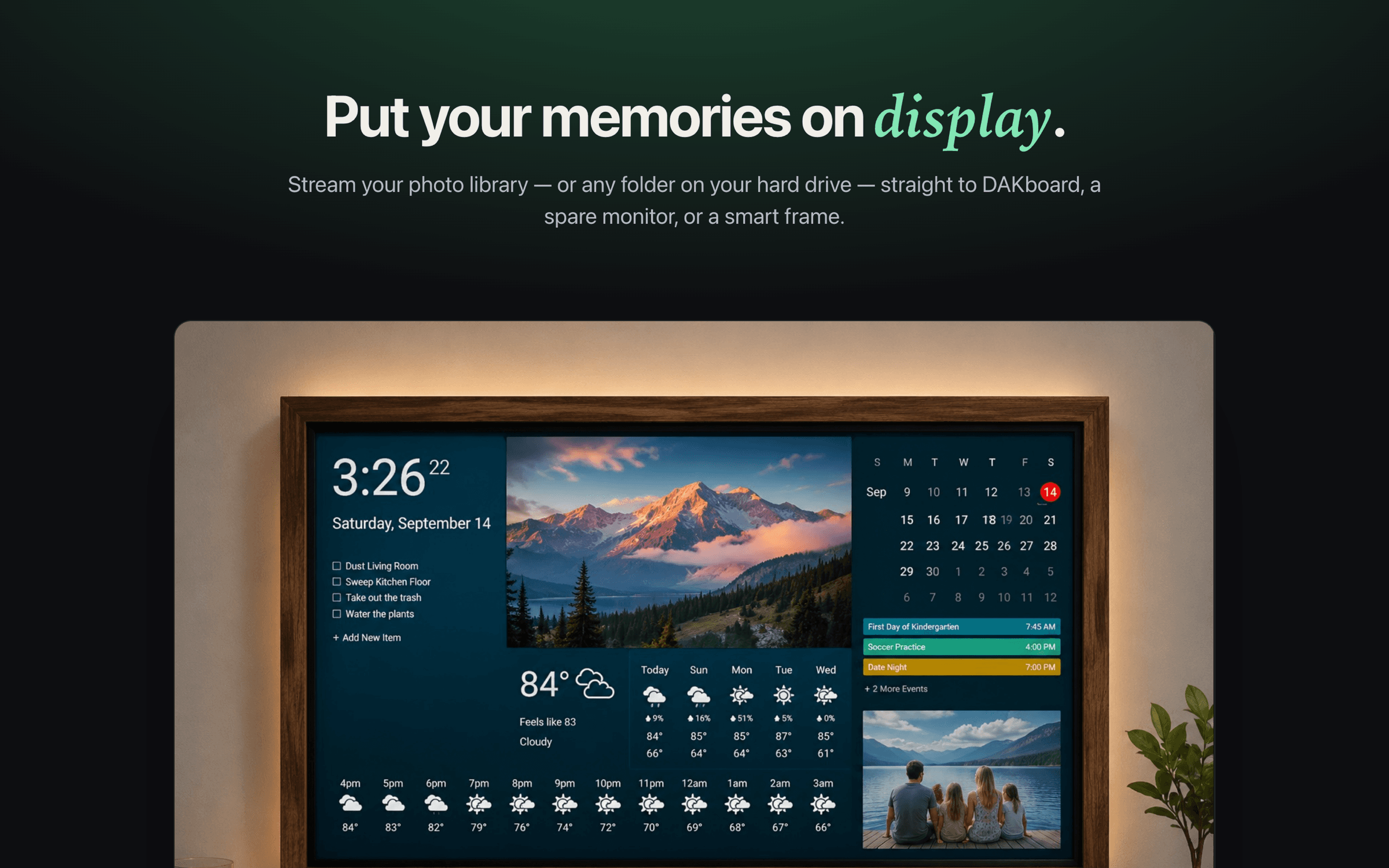
DAKboard makes a beautiful wall display — but getting your own photos onto it usually means uploading them to the cloud or exposing a public share link. DejaView is the private way: it streams your albums straight from your Mac over your local network.
The problem
Your family photos shouldn't need to live on the internet to show up in your own home.
The usual ways to feed photos to DAKboard all route your memories through someone else's servers — a Google Photos account, a public iCloud shared-album link anyone can open, or a frame vendor's cloud. Convenient, but your private moments end up exposed and out of your control.
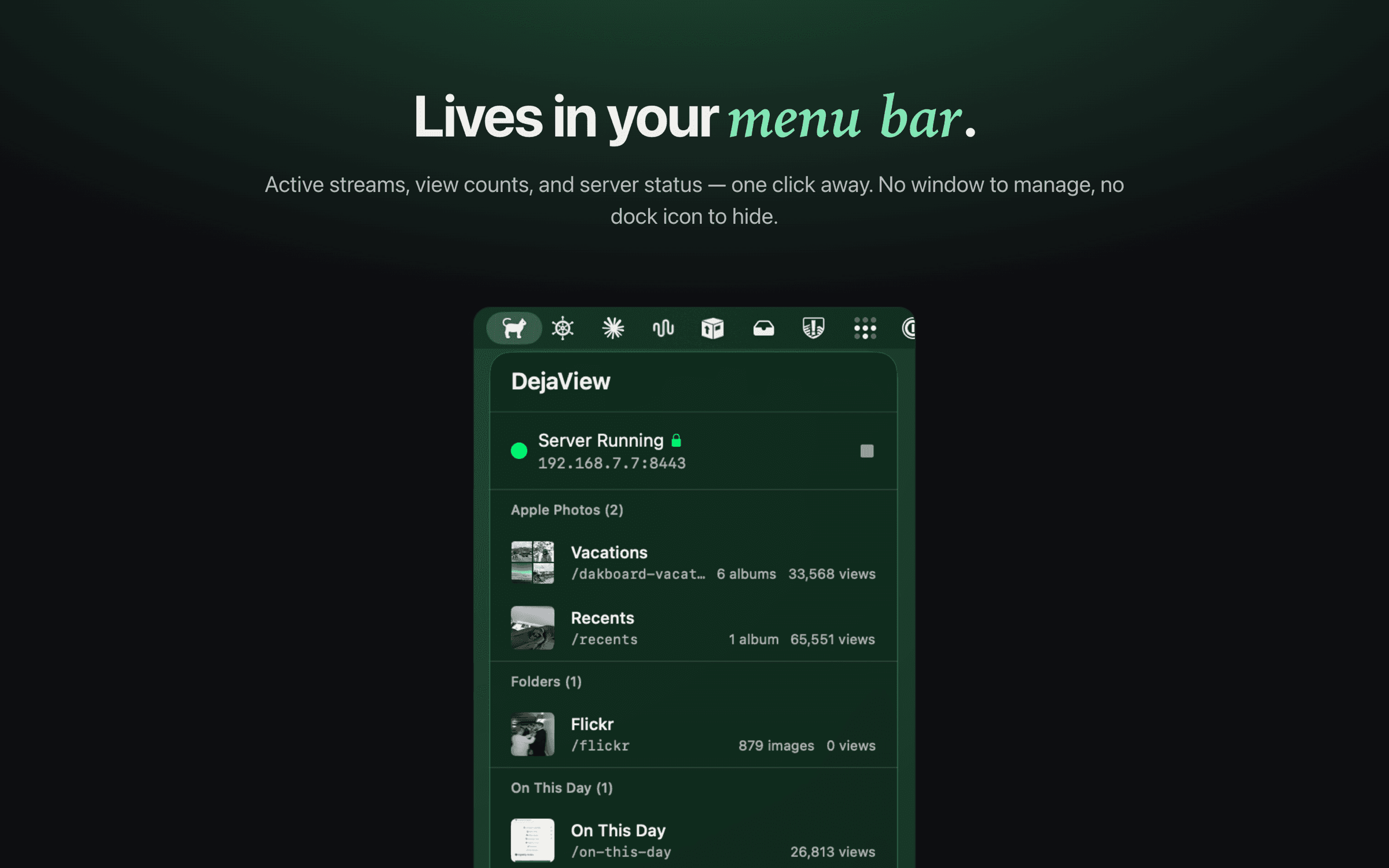
DejaView takes the opposite approach. It runs quietly in your Mac's menu bar and serves your chosen albums directly to your display over your local network — read-only, no uploads, no account, no public links.
Step by step
From Apple Photos to your wall in four steps.
- 1
Install DejaView and pick a photo source
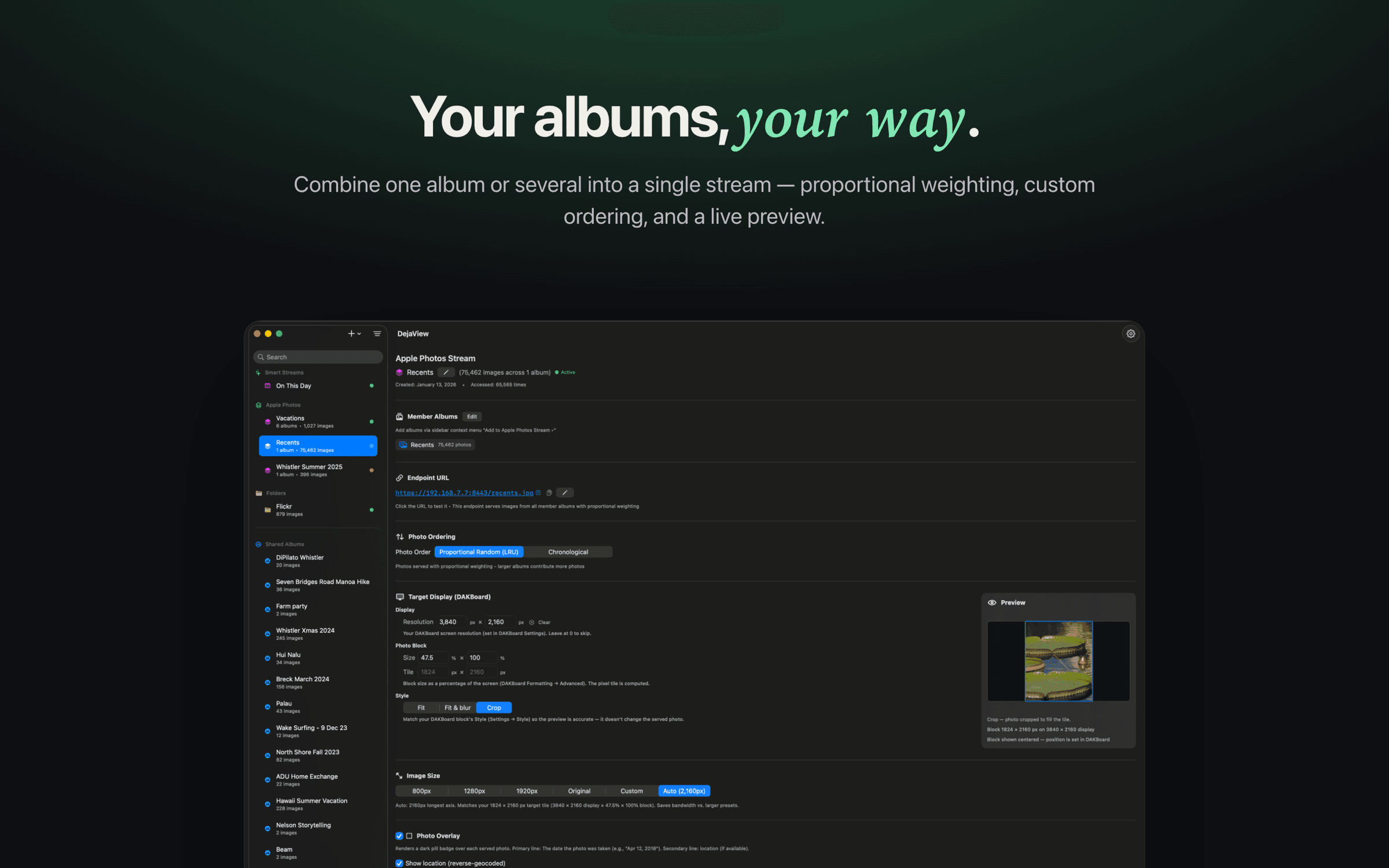
Download DejaView free from the Mac App Store. Grant read-only access to Apple Photos, then choose one or more albums — including smart and shared albums — or point it at any folder on your Mac.
- 2
Copy the stream URL
DejaView runs a small server in your menu bar and gives each stream a local-network URL. Copy it with one click. Nothing is uploaded anywhere — the photos are served straight from your Mac.
- 3
Paste it into a DAKboard Photo URL block
In your DAKboard screen editor, add a Photos block and choose the 'Custom URL' / Photo URL source. Paste the DejaView URL. DAKboard now pulls your photos directly from your Mac.
- 4
Done — your memories rotate on the wall
Your DAKboard cycles through your album with smart rotation and your chosen ordering. Add new photos in Apple Photos and they appear automatically. No re-uploading, ever.
FAQ
DAKboard + DejaView, answered.
Does DejaView upload my photos to the cloud?
No. DejaView serves your photos directly from your Mac over your local network. They are never uploaded to DejaView, DAKboard, or any cloud service. Your Mac just needs to be on and on the same network as your display.
Why not just use a public iCloud shared album with DAKboard?
A public iCloud share link makes your family photos accessible to anyone with the URL, anywhere on the internet. DejaView keeps everything on your local network instead — same convenience, none of the public exposure.
Does it work with DAKboard's Photo URL block?
Yes. DejaView produces a standard image URL that drops straight into DAKboard's Photo / Custom URL source. If a DAKboard block can load an image from a URL, it works with DejaView.
Can I stream more than one album?
Yes. Combine several albums into a single stream with proportional weighting, mix in folders, or run separate streams for different screens. You can also use the built-in 'On This Day' stream to resurface photos from years past.
Do I need to keep my Mac running?
Yes — DejaView serves the photos live, so your Mac needs to be on and awake while the display is showing them. There are no servers or subscriptions in between; it's just your Mac and your display.
Is DejaView affiliated with DAKboard?
No. DejaView is an independent macOS app that complements DAKboard by giving it a private, local photo source. DAKboard is a trademark of DAKboard, LLC.
Give your DAKboard a private photo source.
Download DejaView free from the Mac App Store and put your Apple Photos on DAKboard in under a minute — no cloud, no account.