DejaView vs Nixplay
A private, local alternative to Nixplay.
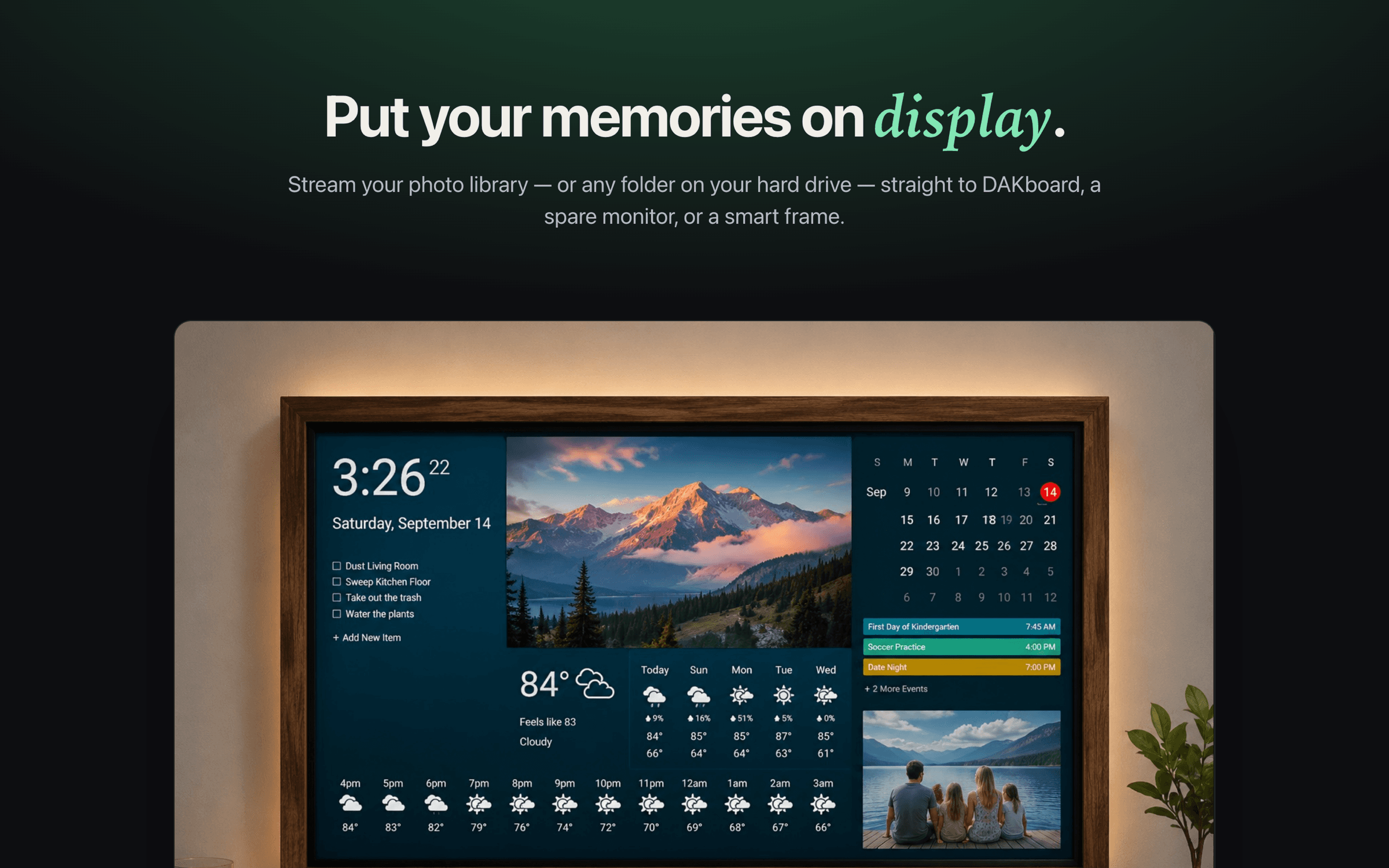
Nixplay makes a capable WiFi cloud frame you buy and sync through its app. DejaView takes the opposite path: a free macOS app that streams your Apple Photos to displays you already own — over your local network, with no cloud upload and no account.
A fair comparison
Two different answers to the same wish: see your photos around the home.
Nixplay is a well-regarded WiFi digital frame. You buy the hardware, create a Nixplay account, and family can send photos from anywhere through the Nixplay app and cloud. For people who want a dedicated frame and remote sending, that's a real strength.
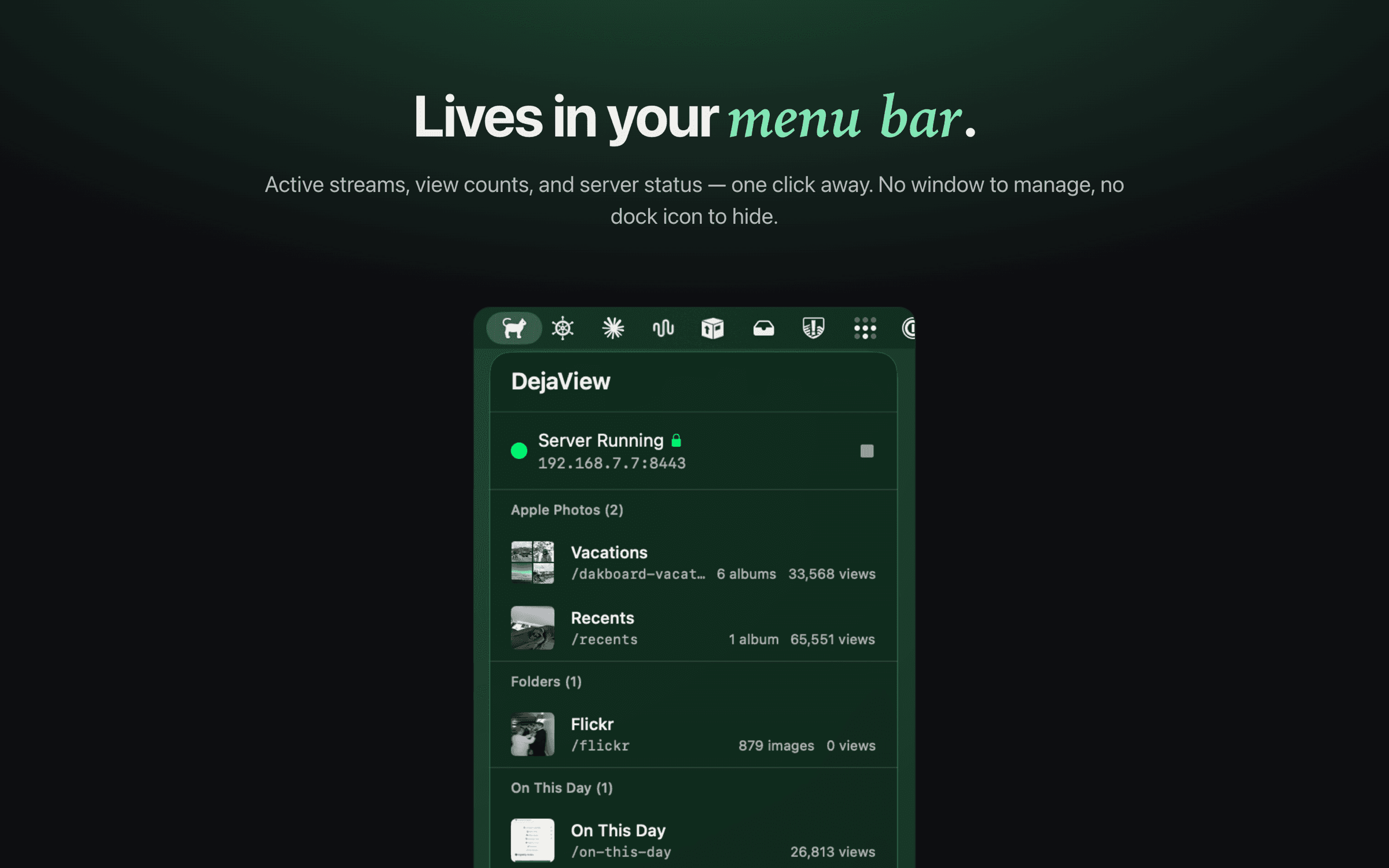
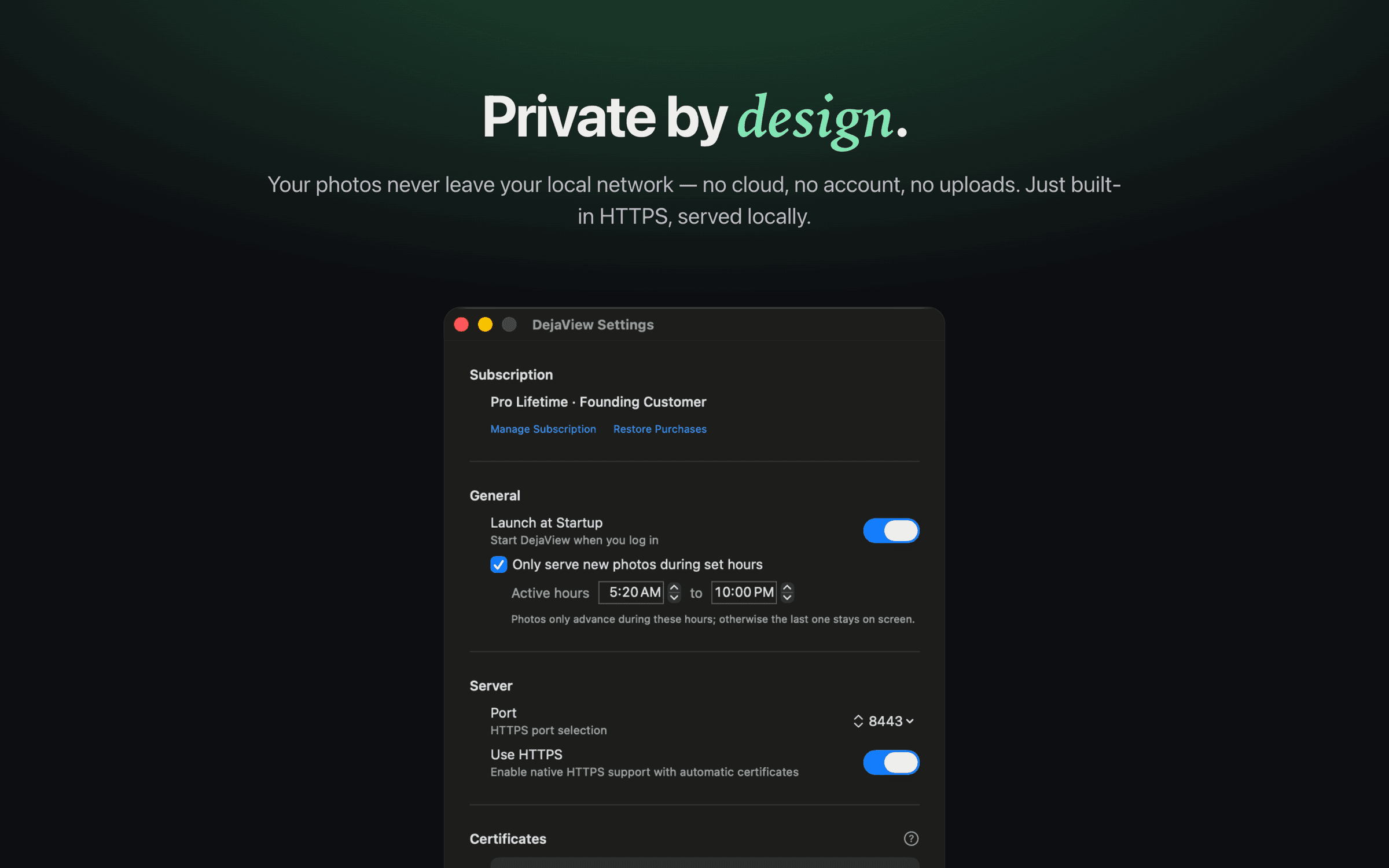
DejaView is for a different person: someone who would rather keep their memories on their own Mac, avoid uploading family photos to a vendor cloud, and reuse a display they already have instead of buying new hardware. It runs quietly in the menu bar and serves your albums read-only over your local network — no account, no subscription required.
Note: In April 2025 Nixplay reduced its free cloud storage tier and shifted more storage and features into its paid Lite and Plus memberships. Plan details can change — check nixplay.com for current terms.
Side by side
DejaView vs Nixplay.
| Feature | Nixplay | DejaView |
|---|---|---|
| Where your photos live | Synced to Nixplay's cloud servers | Stay on your Mac — served over your local network |
| Buy hardware | Yes — you purchase a Nixplay WiFi frame | No — use any display you already own |
| Cloud upload & account required | Yes — a Nixplay account and cloud sync | No account, no uploads, read-only access |
| Subscription | Free Basic tier is limited (500 MB cloud storage); Lite is $19.99/yr and Plus $29.99/yr for more storage and features | Free to use; optional Pro upgrade, never required for local streaming |
| Works on DAKboard & existing displays | No — photos show only on Nixplay frames | Yes — any URL-loading display, including DAKboard |
| Apple Photos albums | Import/upload into the Nixplay app and cloud | Live local streaming — regular, smart & shared albums |
| Price | Frame purchase, plus a subscription for full features | $0 — uses screens and a Mac you already have |
Nixplay details reflect publicly available information as of 2025 and may change; verify current pricing and plans at nixplay.com.
Choose Nixplay if…
When Nixplay is the better choice
- You want a dedicated, self-contained frame that keeps showing photos without a computer running.
- Family in other households should be able to send photos remotely from anywhere via an app.
- You're happy to buy hardware and use a vendor cloud and account, and a subscription is fine for the features you want.
- You don't already own a display you'd rather repurpose.
Choose DejaView if…
When DejaView is the better choice
- You want your photos to stay on your Mac and never be uploaded to a cloud or tied to an account.
- You'd rather use a display you already own — DAKboard, a smart TV, a spare monitor — than buy a new frame.
- You live in Apple Photos and want live streaming of regular, smart, and shared albums without re-uploading.
- You want a free app with no required subscription, set up in under a minute.
FAQ
DejaView vs Nixplay, answered.
Is DejaView a good Nixplay alternative?
It depends on what you want. Nixplay is a polished WiFi cloud frame you buy, with companion apps and the ability for family to send photos from anywhere. DejaView is for people who would rather keep their photos local and private and use a display they already own — like a DAKboard, a smart TV browser, or a spare monitor — instead of buying a frame and syncing through a vendor cloud.
Does DejaView upload my photos to a cloud like Nixplay does?
No. Nixplay syncs your photos to its cloud servers so its frames and apps can reach them. DejaView serves your photos directly from your Mac over your local network — nothing is uploaded to DejaView, Apple, or any third party. It reads your Apple Photos library read-only and never copies it elsewhere.
Do I need a Nixplay account or subscription to use DejaView?
No. DejaView has no account and no required subscription. It is free to download from the Mac App Store. There is an optional Pro unlock, but the core streaming works without it. Nixplay, by contrast, requires a Nixplay account, and in April 2025 it reduced its free cloud storage tier and moved more capacity and features behind its paid Lite and Plus memberships.
Can DejaView put my photos on a frame, or only on a Mac?
DejaView runs on your Mac and serves photos to any display that can load a web URL — DAKboard, a smart TV or browser-based frame, a Raspberry Pi kiosk, or a second monitor. It does not put photos onto a Nixplay frame, because Nixplay frames only show photos from the Nixplay cloud. If you specifically want Nixplay hardware, Nixplay is the right choice.
Does my Mac need to stay on for DejaView to work?
Yes. DejaView serves photos live from your Mac, so the Mac needs to be on and awake while the display is showing them, and on the same local network. A Nixplay frame pulls from the cloud instead, so it keeps showing photos without a computer running — that's a genuine trade-off in exchange for keeping everything local and account-free.
Is DejaView affiliated with Nixplay?
No. DejaView is an independent macOS app and is not affiliated with, endorsed by, or sponsored by Nixplay. Nixplay is a trademark of its respective owner, and Apple, Apple Photos, and Mac are trademarks of Apple Inc. This comparison reflects publicly available information and is provided for informational purposes.
Keep your photos local. Use the screens you already own.
Download DejaView free from the Mac App Store and stream your Apple Photos privately over your local network — no cloud, no account, no new hardware.